Notepad Love
A fast online notepad with multiple tabs that auto-saves to your device. Optional premium sync across devices.
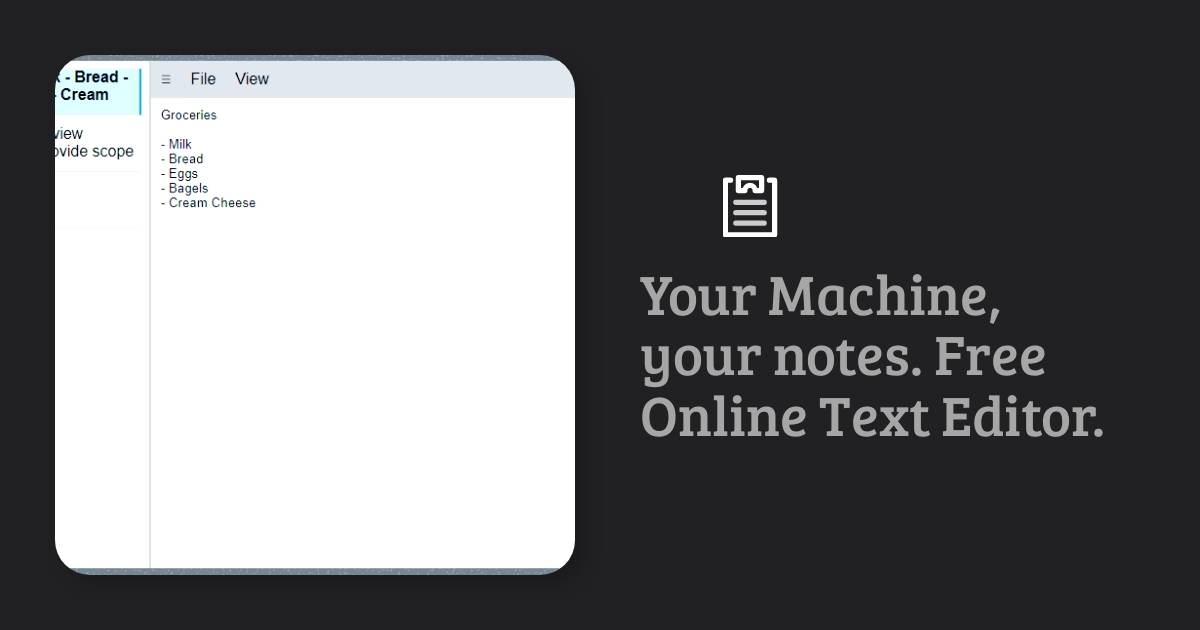
Notepad Love is a free online text editor for quick notes. Open the page and start typing. Your notes save automatically and are still there when you come back.
Your machine, your notes
By default, everything stays in your browser. Notes are saved to your device's local storage, not to a server, so there is no account to create and nothing to sign in to. It loads quickly and works the same on a phone or a computer.
Features
- Auto save on every change
- Multiple notes, each in its own tab
- Distraction-free writing, with a full-screen focus mode
- Word count and basic spell check
- Open and share files. Open existing text documents, or use your phone's share menu to send text in and out.
- Export everything as a zip file containing
.txtand.jsoncopies of every note - Many languages for the interface
Premium
For $10 a year, premium removes ads and syncs notes between your phone and computer. Sync is the one feature that sends your notes off your device, so it is opt-in.
I build new premium features based on requests, and requests from existing members come first. Ideas under consideration include searching notes, advanced find and replace, syncing through your own Dropbox or Google Drive, and text tools such as sorting lines, changing case, extracting URLs or email addresses, and removing duplicate or empty lines.
How it was built
Notepad Love is a static site built with Global Sites AI, my boilerplate for translated static sites. Keeping notes in the browser means the free version needs no backend at all.
Launch note
From the original announcement, October 2024: "It's a lean notepad with multiple tabs, saved to the browser's storage between uses. Many more editing tools upcoming, such as sorting lines, find and replace, word counts, etc." Word counts have since shipped. The rest are on the premium list above.
More Writing & text tools
See all →
Markdown Toolbox
A suite of Markdown tools for editing and converting files, plus a blog of Markdown guides. For writers, developers, and content creators.
Text Difference
Compare two blocks of text and see exactly what changed. No ads, just a donate button.
Root Beer Text
Quick tools for formatting, cleaning up, and organizing text. The first one merges rows of CSV data into a text template.